Royalton Community Radio Streaming App
How to Use the WFVR 96.5 FM Streaming App
 Listening on Your Computer
- Visit this page
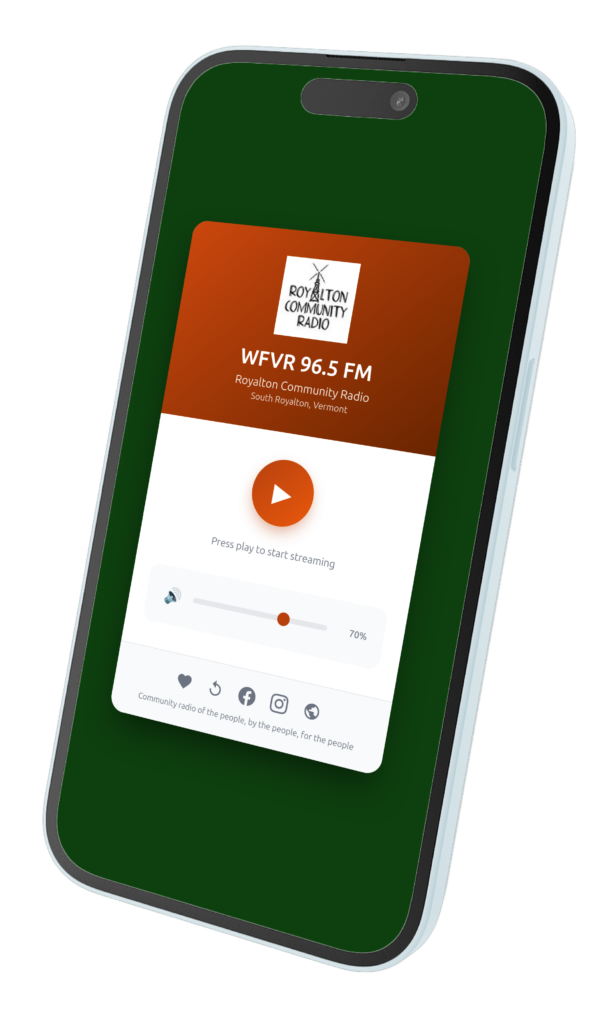
- Click the large Play button in the center
- Adjust the volume using the slider at the bottom
- That's it - enjoy WFVR!
Listening on Your Phone or Tablet
First Time Setup:
- Open our Streaming Page in your mobile browser (Safari for iPhone, Chrome for Android)
- Click the Play button to start streaming
Add to Your Home Screen (Recommended):
iPhone/iPad:
- Tap the Share button (square with arrow pointing up) at the bottom
- Scroll down and tap "Add to Home Screen"
- Tap "Add" in the top right
- The WFVR icon will now appear on your home screen like a regular app!
Android:
- Tap the menu (three dots in the corner)
- Tap "Add to Home screen" or "Install app"
- Tap "Add" or "Install"
- The WFVR icon will now appear on your home screen!
Quick Tips
- Once added to your home screen, tap the icon anytime to launch the player
- Use the volume slider in the app or your device's volume buttons
- The player works even when you minimize your browser or switch apps
- Tap the heart icon to support WFVR with a donation
- Tap the replay icon to catch shows you missed